
Events and catering
The module for work tied to a date: a banquet, a wedding, a corporate party, a children's celebration. A request runs through an event funnel from quotation to the final act, the estimate is calculated per guest, the date holds a venue in the schedule, and on the morning of an event a separate screen shows what is ready and what is not.
Four scenarios
| Scenario | What it is about | What it sets up |
|---|---|---|
| 🍽 Catering (default) | Off-site food: a menu per guest and a crew on site | Inventory, Payroll and the POS; "Service format", "Serving time", "On-site lead" fields; categories for Menu, Staff, Equipment rental, Logistics, Food; a per-guest and a per-shift price list; 50 % prepayment |
| 🎉 Full-service organising | An event agency: concept, contractors, coordination | Payroll; "Event type", "Client-side contact", "Venue access time" fields; categories for agency services, decor, venue rental and logistics; customer approval of files; 30 % prepayment |
| 🏛 Event venue | Your own halls and terraces at an hourly rate | The POS; three venues — "Banquet hall" (80 seats), "Summer terrace" (40), "Conference hall" (30) — with an hourly rate; "Event zone" and "Seating plan" fields; 30 % prepayment |
| 🎈 Parties and decor | Decoration and equipment hire | Inventory; "Decor theme", "Equipment deposit, ₽", "Setup and teardown time" fields; categories for decor, equipment hire and entertainment; 30 % prepayment |
The event funnel, the client portal and the document set come with all four scenarios.
The scenario is changed in Administration → Modules: a change brings the missing fields, categories and templates and aligns component settings with the new scenario. Deals, customers and documents stay in place. The prices in the starting price list are averaged — they exist so you can put together a first estimate on the day of connection.
What is included
Core components
- Clients — customers, contacts, event history.
- Deals — the whole event: funnel, estimate, payments, checklists, client portal.
- Scheduling — venues as resources and date availability.
- Work planning — event preparation by stage.
Optional components
- Inventory — food, tableware, decor.
- Point of sale — prepayment and payment on the spot.
- Crews and work orders — staff on site and shift pay by shares.
- Payroll — shifts for waiters, cooks and coordinators.
- Finance — expenses, profit and customer debts.
- Marketing — requests from capture forms, segments and campaigns.
Catalog, reports, calendar, messenger, integrations and the AI assistant are available right away.
Event stages and customer messages
The Event deal type comes with the module. Stages carry checklists, and on three of them a message goes to the customer.
| Stage | What it means | What goes to the customer |
|---|---|---|
| Request | The enquiry is accepted, details not clarified | — |
| Quotation | Date, place, headcount and format are clarified; the estimate goes to the customer | "Your event estimate is ready" with a portal link |
| Contract and prepayment | The estimate is agreed, the contract signed, the prepayment received, the date and venue booked | "The date is booked" |
| Preparation | The final headcount is confirmed, purchasing done, the crew assigned | — |
| Delivery | The venue is ready, the crew is on site | — |
| Closed | The act is signed, the balance received | — |
| Cancelled | The event will not take place | "The event has been cancelled" |
The booking message goes out at the "Contract and prepayment" stage, that is when the contract is sent. The text says so: the date is held for the customer and confirmed after the prepayment, and the final guest count is expected no later than three days before the event.
Messages go to whoever is selected as the customer from the reference book. The portal link is inserted when it has been issued for this deal.
The texts live in the company message templates and are edited as ordinary text; the substitutions available are the customer name, the deal number and the portal link. The whole conversation is switched off with the Notify the customer about stage changes toggle in the deal type settings.
Estimate per guest
Catering counts a banquet in portions rather than in items. So an event deal has a Guests field, and every estimate line has a per guest toggle.
- Toggle off — an ordinary line with a quantity: hall rental, crew work, delivery.
- Toggle on — you set the rate per person, and the calculation is shown next to it:
85 × 1 = 85.
Change the guest count and the lines with a rate recalculate when the card is saved; the rest stay as they were. After saving the system confirms the recalculation with a message.
The guest count is not a note: the venue capacity is checked against it and the estimate is calculated from it.
Booking a date and a venue
A booking in the schedule holds the date. The Deals component setting Book the venue by event date takes care of that — the module turns it on at connection.
As soon as an event has a date, a booking is created:
- The venue is looked up among Place and Object resources by an exact name match with the event address. Write "Banquet hall" in the address and the hall is taken rather than the coordinator. The match is exact: "Banquet hall" will not take "Banquet hall on the embankment".
- No venue found — the booking goes to the event owner, and a resource for the employee is created automatically. That is how catering works: there are no halls of your own, a person is booked.
- Neither a venue nor an owner — no booking is created.
The duration comes from the deal deadline when it is later than the start and fits within a day; otherwise from the Default event duration, hours setting (4 by default, 1 to 24 allowed).
The booking follows the deal: moving the date moves it, changing the address moves it to another hall, cancelling the event cancels it. Hall availability is visible in the Calendar — that is where a second wedding on the same Saturday shows up.
The events day
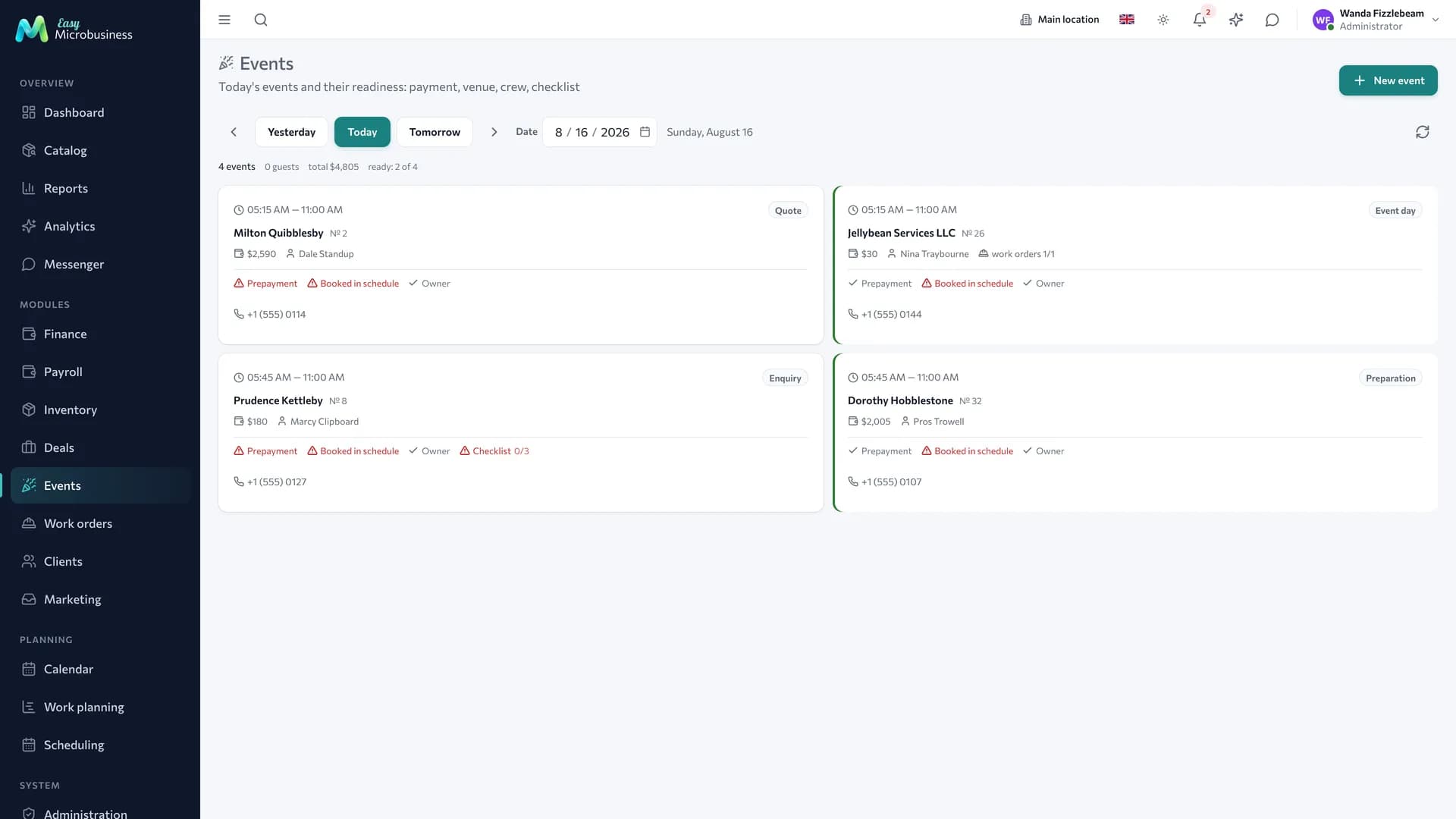
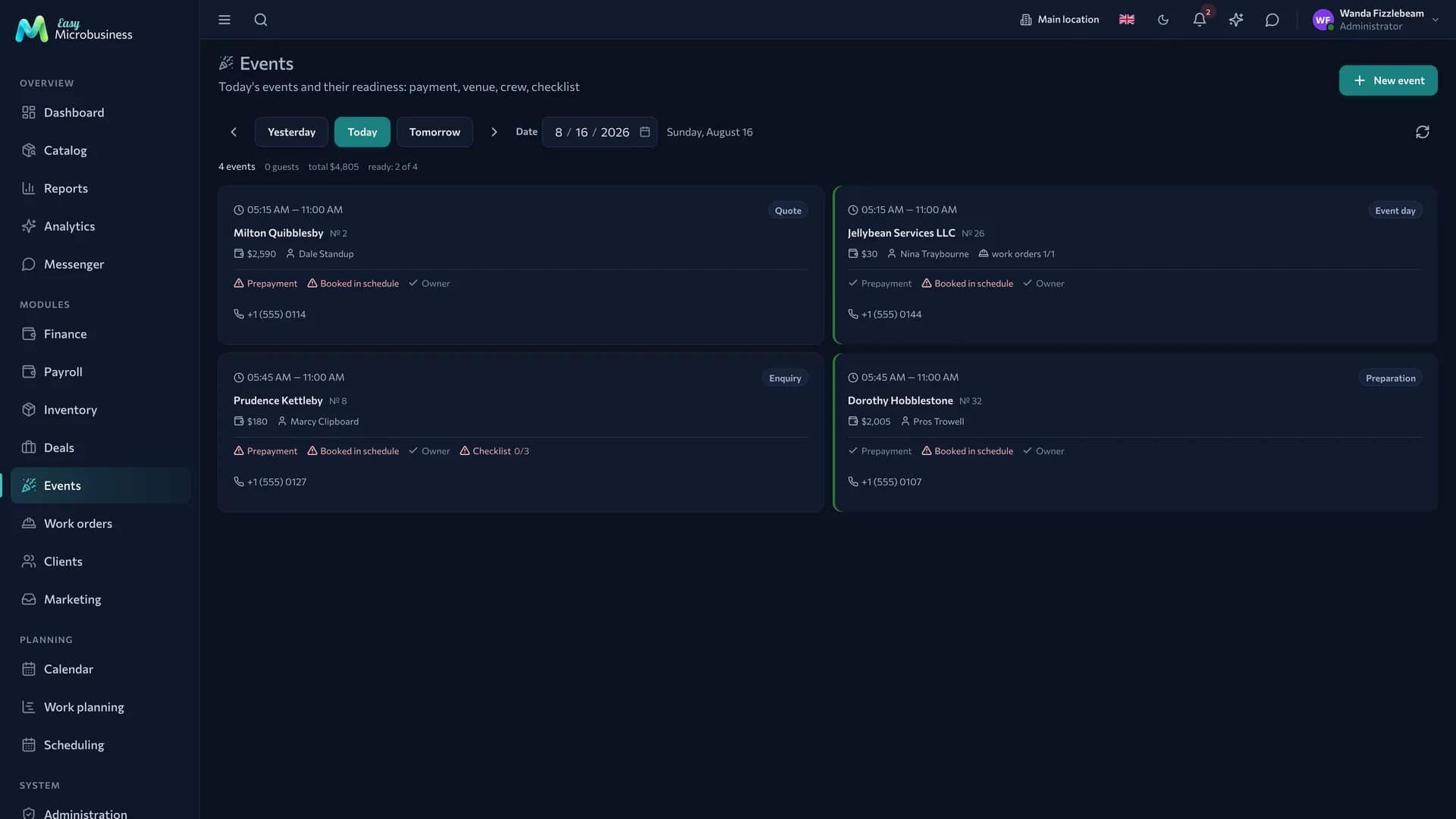
The Events menu section is the organiser's screen: what is on today and whether everything is ready. It is open to administrators, directors and managers and shows the events of the active branch.
At the top there is a day switch ("Yesterday", "Today", "Tomorrow", arrows and a date picker) and a summary: how many events, how many guests, for how much and "N of M ready". Guests, amount and readiness are counted for live events.
An event card shows the time, stage, customer and number, venue, guest count, amount, owner, work orders ("work orders 2/3") and a phone number to call from right there. If there are more guests than seats at the venue, the number is highlighted and the hall capacity appears next to it.
Below is a readiness row with four marks:
| Mark | When it is closed |
|---|---|
| Prepayment | At least the prepayment percentage of the event amount has been paid |
| Booking in the schedule | The event has an active booking |
| Owner | An owner is assigned to the event |
| Checklist | Every item of the current stage is done |
A ready event is highlighted with a frame. A card leads into the deal, where everything is edited. The New event button opens the creation form: a request often arrives by phone exactly while you are looking at the day.
Documents
The module brings three print forms:
- The event estimate — with a note that the calculation is made for the stated guest count, that a change less than three days ahead is agreed separately, and that the date is booked after the prepayment.
- The event organisation contract — the subject, the list of services, the payment order from the payment plan. The terms state that the prepayment is retained on a cancellation less than 7 days before the date and that the guest count is confirmed no later than 3 days ahead.
- The service act — on the fact of delivery.
The header of every form prints the essential terms of the event: the date and time, the place and the guest count. The notes refer to exactly those, so the terms sit in the document itself. The place comes from the booked hall, or from the event address when you have no venue of your own.
The forms are edited in Print templates: their wording is a working draft rather than legal advice.
What to set up after connecting
- Venues — create your halls as resources in Scheduling and name them exactly as you write the event address. The "Event venue" scenario creates three halls itself.
- The price list — adjust the starting prices and add your own; for dishes and tableware it is convenient to count per guest right away.
- The prepayment percentage — 50 % for catering, 30 % for the other scenarios. The readiness mark and the contract text are based on it.
- The default duration — 4 hours; set what is typical for your format.
- The client portal — the module turns on the link and the display of the estimate with payments; "Full-service organising" adds file approval.
- Automations — they arrive switched off: "New lead greeting" and "Overdue reminder", plus "Low stock" for catering.
What to look at in reports
- The deal funnel — where events get stuck: at quotation or at the contract.
- Profit by site — revenue, materials, works and profit per event.
- Resource load — hall availability by day: peak Saturdays and quiet midweek.
Frequently asked
The date has been moved. Change the date in the deal: the booking follows, and the prepayment and history stay with the same event.
There are more guests than seats in the hall. The day card highlights the guest count and shows the venue capacity — the decision is yours.
Two weddings on one Saturday. Check hall availability in the calendar: while an event holds a date with a booking, it is visible there.
How do we account for contractors? Add their work as estimate lines or as employees on piece-rate pay — both land in the event cost.
Can we take requests from a website? Yes, through a capture form: the request lands in leads and from there into an event.
In short
- An event is run as an Event deal with its own funnel and checklists.
- The estimate is calculated per guest: a rate per person is multiplied by their number.
- The date holds a venue with a booking, and the venue is found by a name match with the address.
- The day screen shows four readiness marks for every event.
Similar modules
- Regular classes and workshops — Education and courses.
- Renting a hall and equipment without service — Rental.
- Running a venue with a floor and a kitchen — Restaurant.